Carving Shaders Out of Claude Code
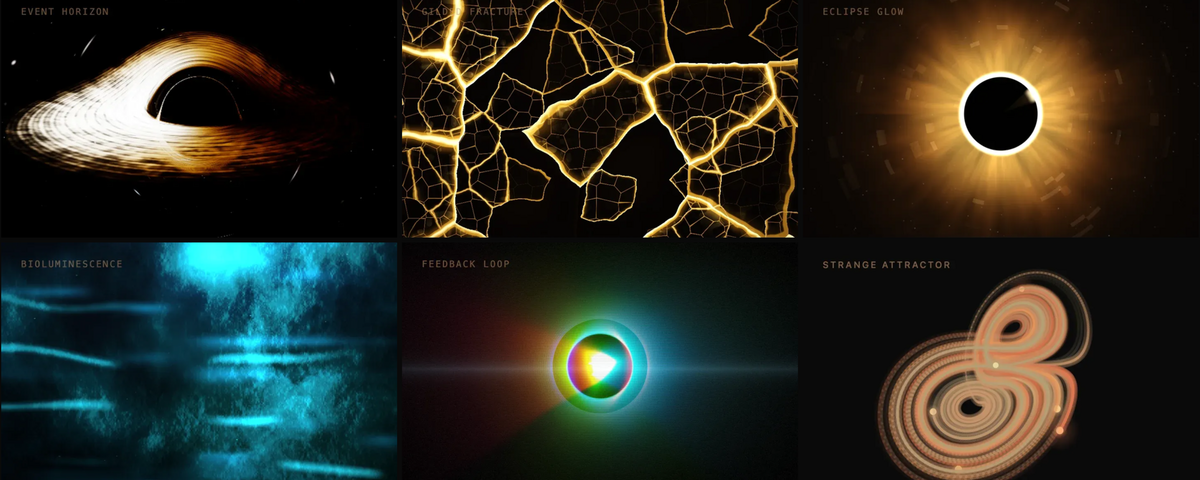
I needed a few lightweight shaders for my new personal website. Six weeks later, I'd shipped 88.
The original ask was simple: my site runs on Ghost, so I needed standalone, embeddable shaders with zero framework dependencies. Most shader libraries are tied to React or Svelte, and nothing I found worked for my use case. So I fired up Claude Code and started building.
The first few came together almost suspiciously fast. Procedural 2D canvas effects like flow field are purely mathematical, single render pass, and Claude had rich context to draw from (my brand, my colors, my overall vibe). Within a few iterations I had some clean, thoughtful shaders that fit perfectly.
I liked them enough to share. So I extracted them into their own repo, built a small gallery site, and immediately hit my first real design question: how do you package shaders for maximum usability in 2025?
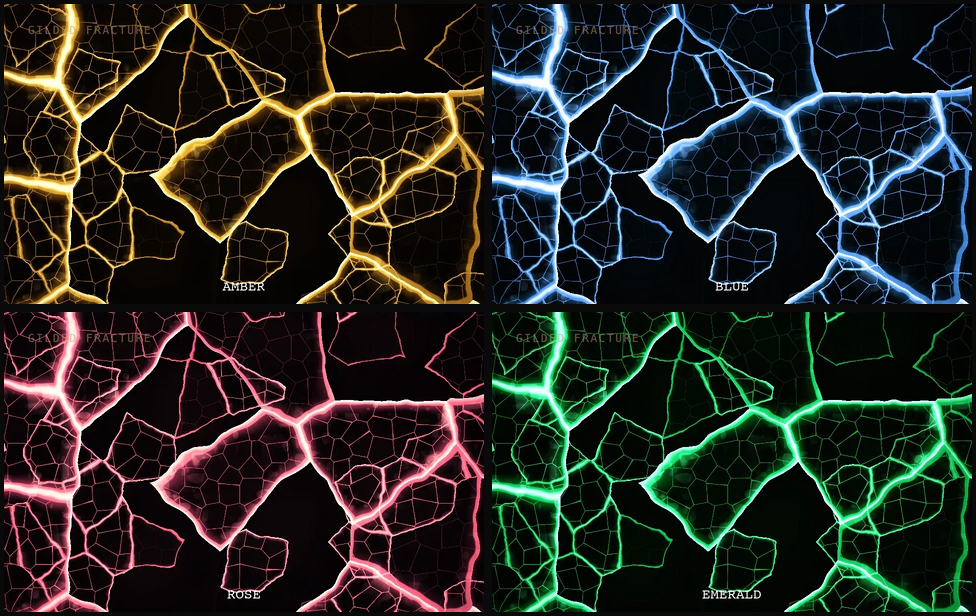
In the pre-AI days, you'd build npm modules, CommonJS packages, maybe framework integrations. But shaders are usually just a starting point; they're heavily customized after inclusion. And we live in a world where most developers have switched (or will switch) to having agent harnesses like Claude Code integrate external code for them. So I built for that world: each shader is a standalone, dependency-free HTML file. The "view source" and download buttons give you or your agent the full shader directly. Point Claude Code at a detail page and it figures it out. Color themes are similarly straightforward: CSS filter hue-rotations away from the default amber palette.
Then it escalated.
Over a stretch of days that now feels like a fever dream, I went from 6 subtle procedural shaders to 88, including some that are *cough* just slightly more ambitious. Like this ultra-realistic event horizon with accretion disk, implementing Schwarzschild geodesic raytracing, Novikov-Thorne temperature profiles, Doppler beaming, and Keplerian orbital mechanics:
The Event Horizon shader in action.
Easy shaders are easy. Good shaders are not.
Those first shaders were easy for Claude because of a few lucky conditions: rich brand context, simple math, single render passes. The event horizon was a completely different beast.
- Agent harnesses don't have good enough eyes yet. At best, they can screenshot a page in a browser, but they have no temporal understanding. Their multimodal vision can decipher layouts and UI structures reasonably well, but not complex rendered effects and their visual impact the way a human perceives them.
- Great shaders exploit perceptual tricks that fool humans, not computers. Performance techniques like color banding, dithering, and palette reduction work because humans don't notice the degradation. But these same tricks confuse computer vision in ways that make automated evaluation nearly impossible.
- Great shaders require impeccable taste (see what I did there? Impeccable? OK I'll see myself out). Some need to be ultra-realistic but still mesh with a digital aesthetic (skeuomorphism done well). Others have to extract the essence of something found in nature, math, or physics and turn it into art. You need to be a rare left-brain-plus-right-brain creative technologist, and that's already hard for humans.
- Great shaders require inspiration. The first batch worked because they had my brand as visual direction. I would quickly discover that prompting "build me 10 new cool WebGL shaders" produces absolute garbage.
Fair warning: I do NOT recommend anyone who isn't an extreme adventurer/tinkerer type attempt this today. But I accepted the challenge because I wanted to see how far I could push it.
Chiseling a black hole
Every shader was the result of dozens, often hundreds, of iterations. I started calling the process "carving" because that's genuinely what it feels like: chiseling a shader out of the LLM, one pass at a time, slowly revealing the shape underneath.
Here's how the event horizon came together:
- Research and inspiration. Studied implementations on Shadertoy. Found some impressive ones, but didn't want to copy.
- Fill the inspiration buffer. Had Claude attempt reproductions of reference shaders, not to keep them, but to build its understanding of the visual space.
- Throw the references away. They were all impractical anyway (too heavy, too slow). Instead, gave Claude reference imagery of real event horizons and accretion disks.
- Discuss the physics. Spent real time making sure Claude understood the visual implications of Schwarzschild vs. Kerr black hole physics deeply, not just the math.
- First pass. Claude produced an initial implementation with realistic Schwarzschild physics, then layered Kerr spin dynamics on top. Result: roughly 60% of the way there (genuinely impressive), but rendering at 5fps with visible artifacts.
- Carve. Step by step, iterate with Opus using Chrome browser automation to fine-tune every layer and accent. This is the longest phase by far.
- Optimize. Same iterative process, but focused purely on performance. Get it rendering at 60fps.
- Polish. Add interactivity, controls, parameter tuning. Make it feel alive.
How Sabrina Carpenter helped me build better shaders
The carving process works for individual shaders, but how do you find interesting ideas at scale? Prompting "give me 100 shaders" produces mediocre results because the LLM draws from median training data, and you get massive overfitting (every second shader will be a Voronoi fracture..).
The key is to seed inspiration in a way the model can't default to generic. In my case: actors and musicians.
I built a skill that takes a celebrity name, distills their visual essence and vibe, then generates 50 unique shader concepts for that person.
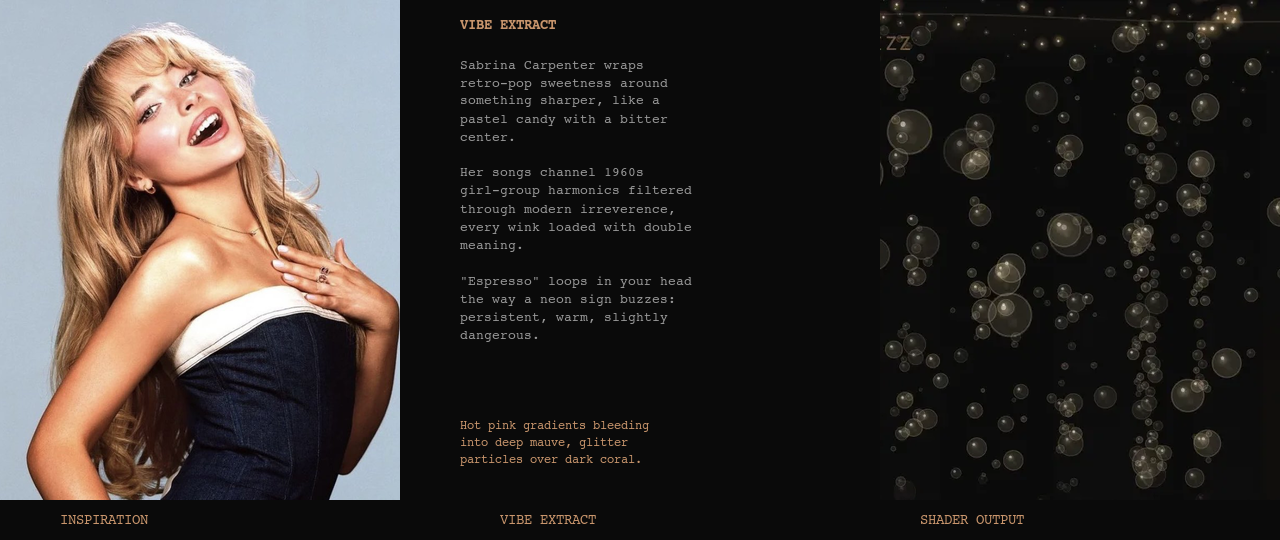
Then (and this is crucial) a fresh, unbiased sub-agent ranks each concept based on its potential as a production-grade, reusable shader. Finally, it kicks off parallel sub-agent builds for the top candidates.
The resulting shaders are almost always bad. But in maybe 10-20% of cases, something has real potential: unique, interesting, and worth investing in as a foundation for the carving process. Getting a shader from 20% to 100% is still substantial human work, but the creative seeding ensures you're starting from genuinely novel territory rather than LLM median taste.
I believe this kind of creative seeding is essential for any ambitious creative work with AI. Without it, you're sculpting from the same block of marble as everyone else.
Rabbit holes for future articles
There were some other interesting challenges from this project that deserve their own deep dives:
- How do you build a browser gallery that doesn't choke when rendering dozens of live shaders simultaneously?
- How did I make all 88 shaders uniquely interactive, controllable, and colorful?
- How did I create the video generation pipeline that produces a highlight reel of each shader for social media?
Check out the results at radiant-shaders.com and contribute your own shaders on GitHub. Onwards!